For homeowners & their staff

Mawa gives you eyes on your driver and a voice with your maid

Soon Download on theApp Store Soon Get it onGoogle Play
Free to start · iOS & Android · 26 languages built in
For your drivers

Adding a task for a driver

Send a clear task to your driver in four simple steps.
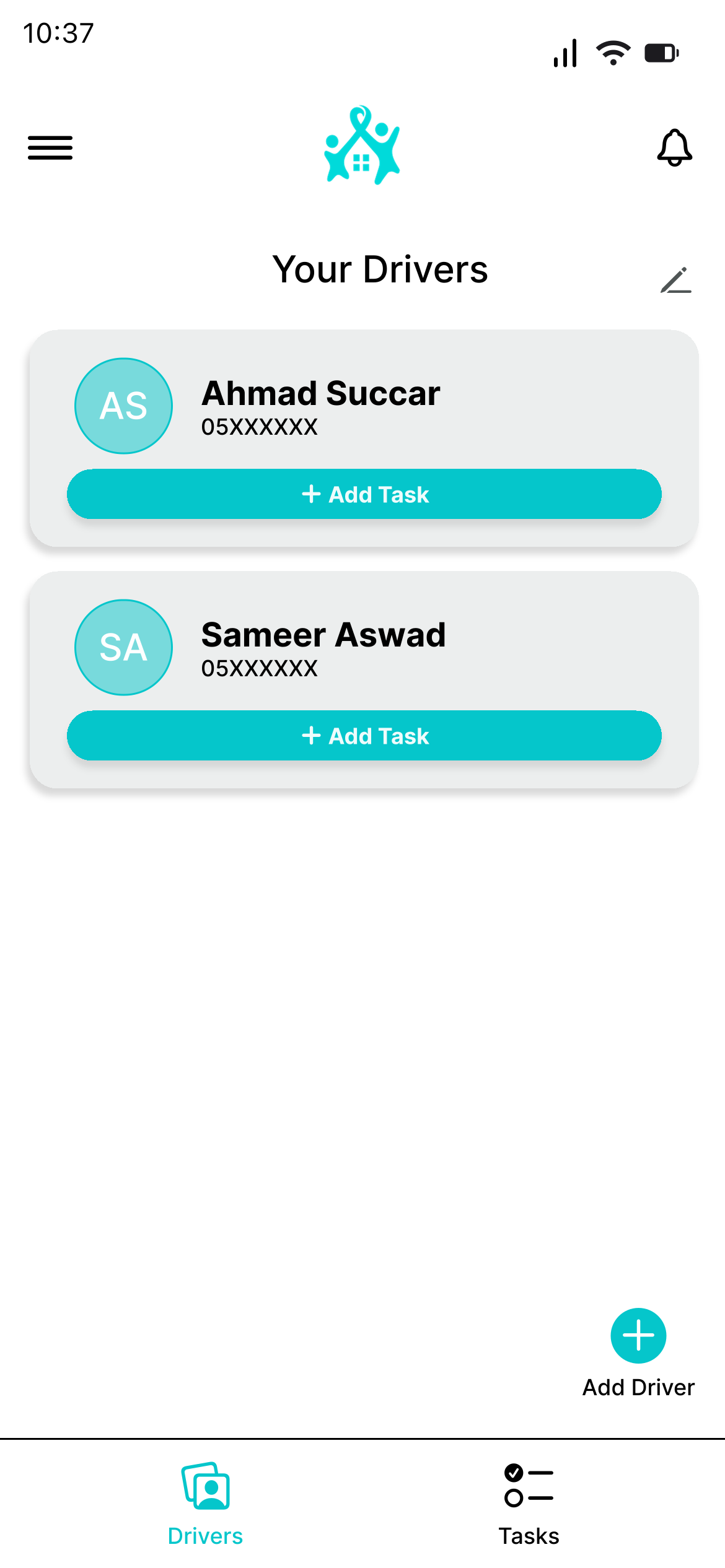
Homeowner's drivers list with Add Task
1Select a driver
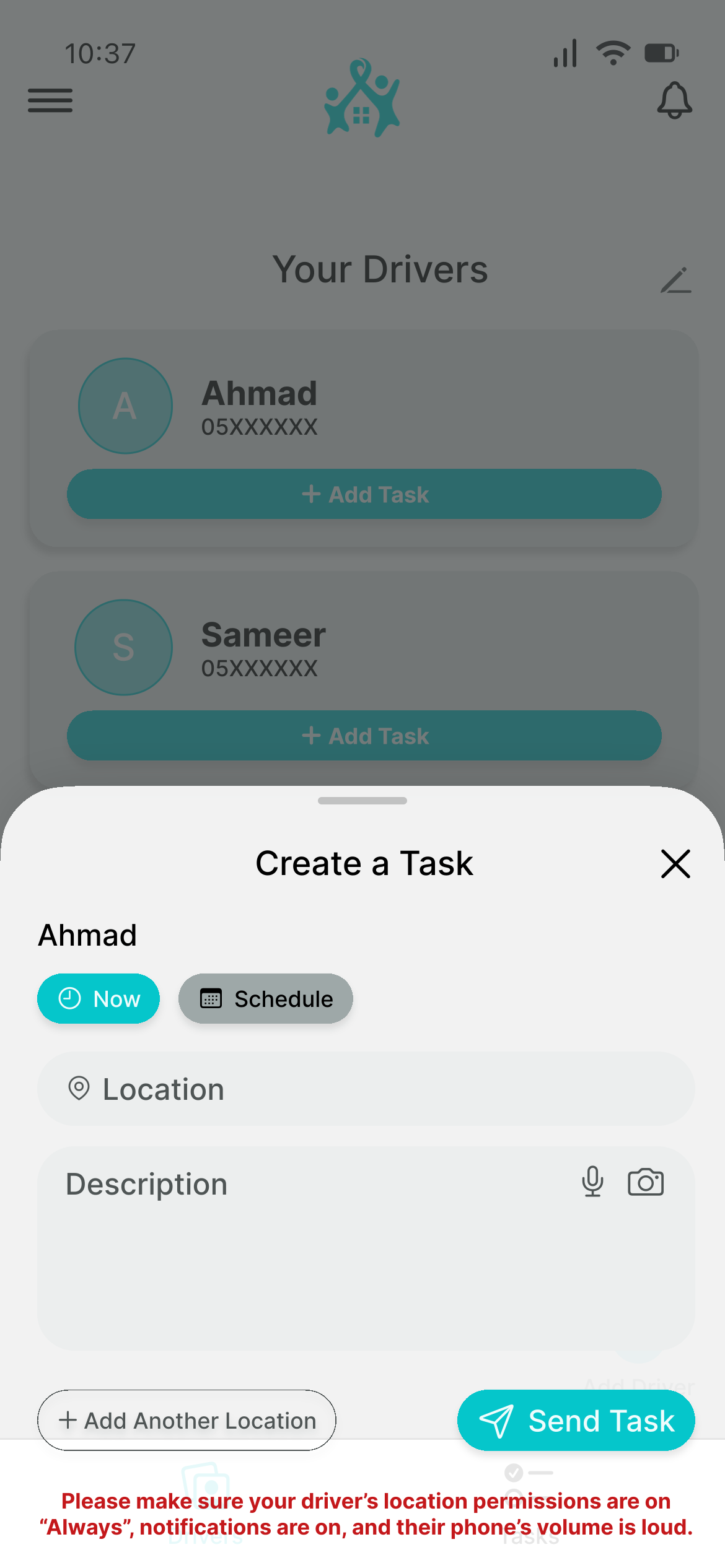
Empty Create a Task screen for a driver
2Create the taskChoose a schedule and add written notes or a voice note.
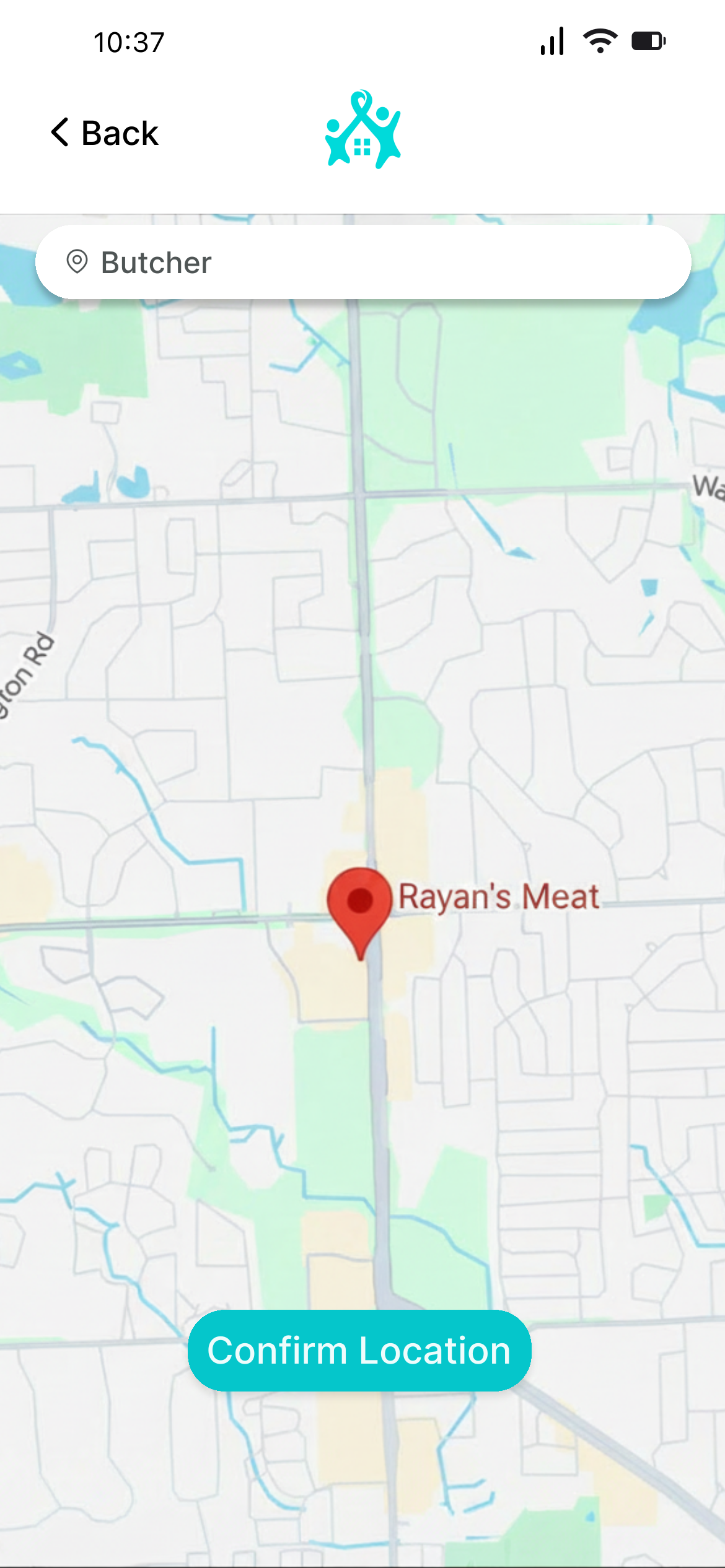
Search for an address
3Choose a locationSearch for an address.
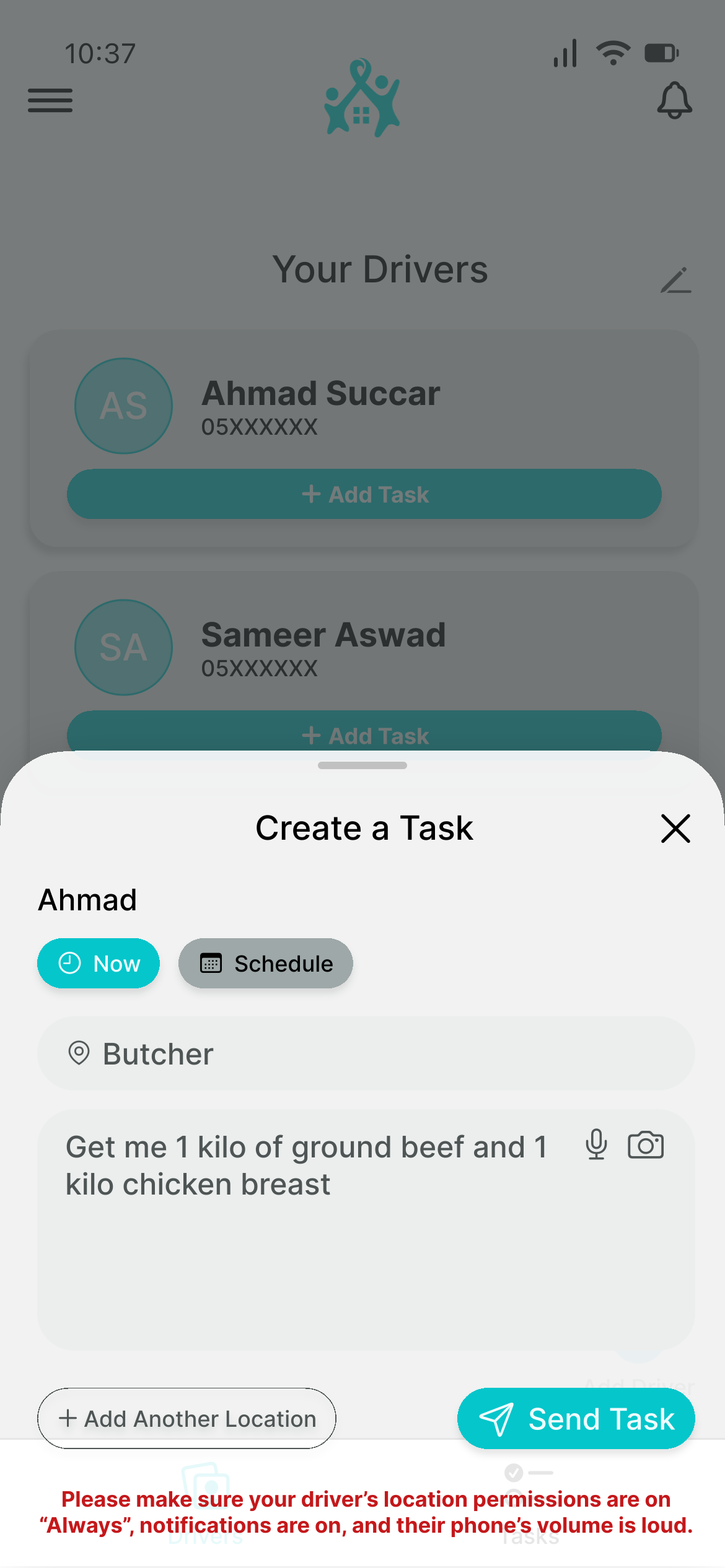
Completed Create a Task screen ready to send
4Send the task
Live location

Track Driver

Press Track Driver to open the live tracking screen.
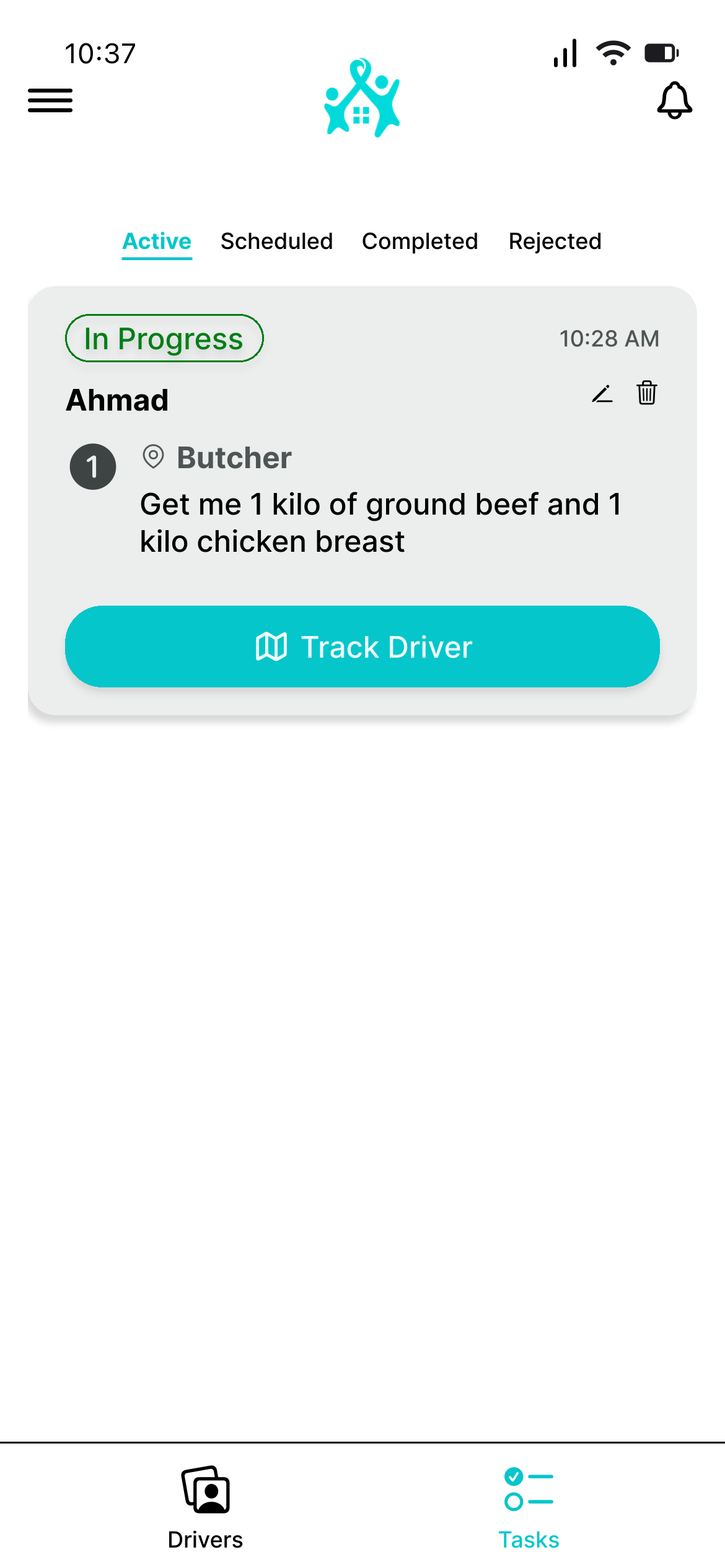
Active task with a Track Driver button
Press Track DriverOpen the active task and tap the tracking button.
Live tracking map with speed, distance and time remaining
See the live routeView the driver's speed, distance and time remaining.
Stay informed

Notifications

Mawa alerts you when a driver is speeding or leaves the expected path.
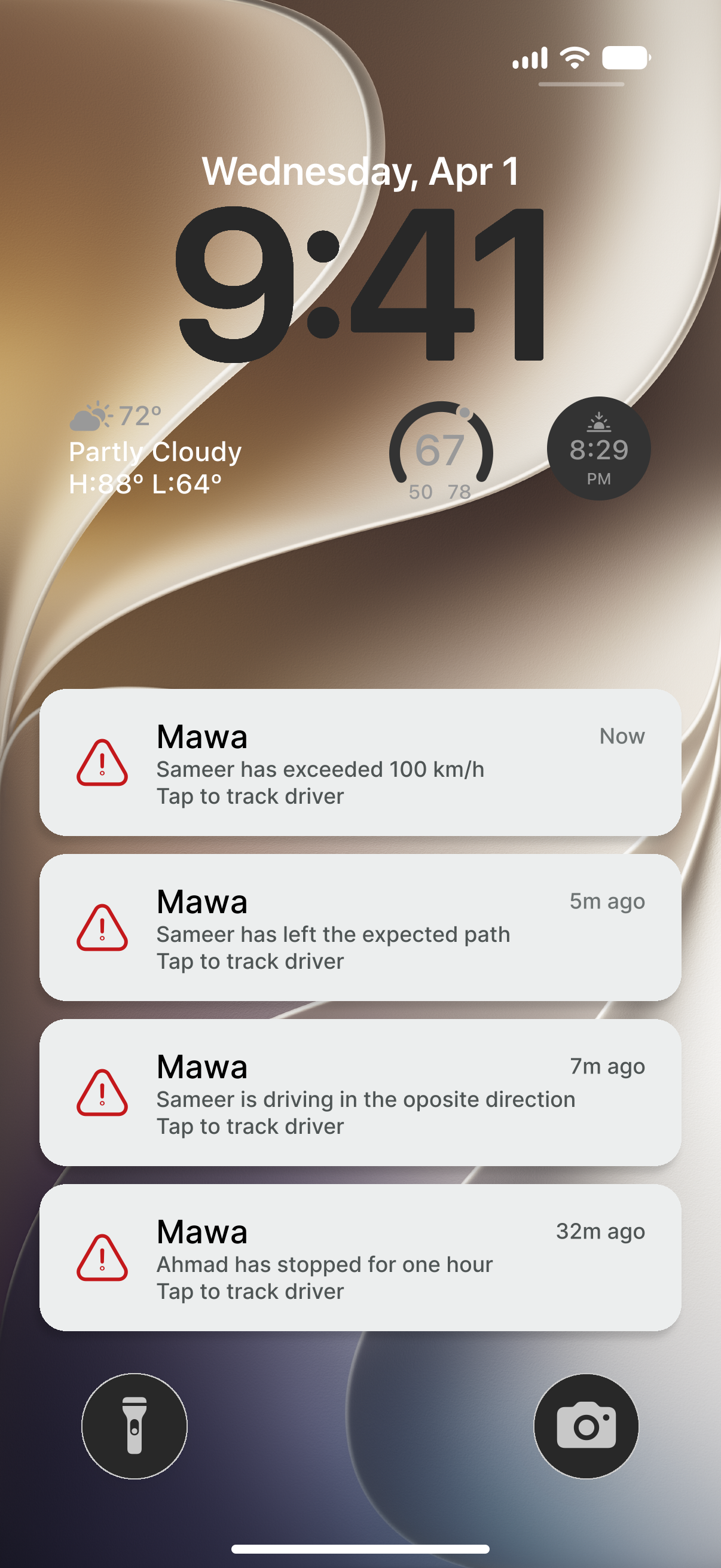
Mawa driver alerts displayed together on the homeowner's lock screen
Lock-screen notificationsSee speeding, route, direction and stop alerts at a glance.
Driver view

The driver's point of view

The handoff is a simple two-step process.
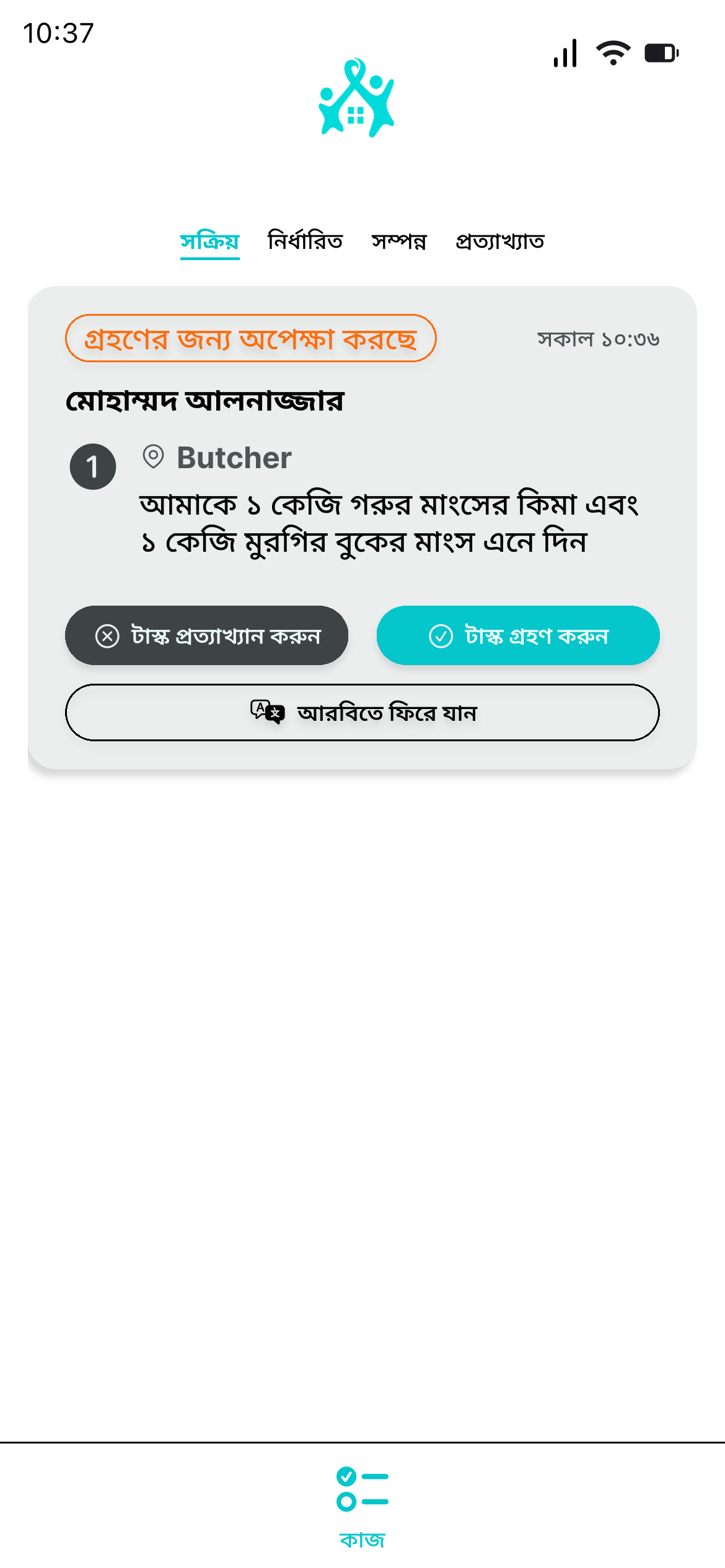
Driver receives a translated task with an Accept Task button
1Receive the task
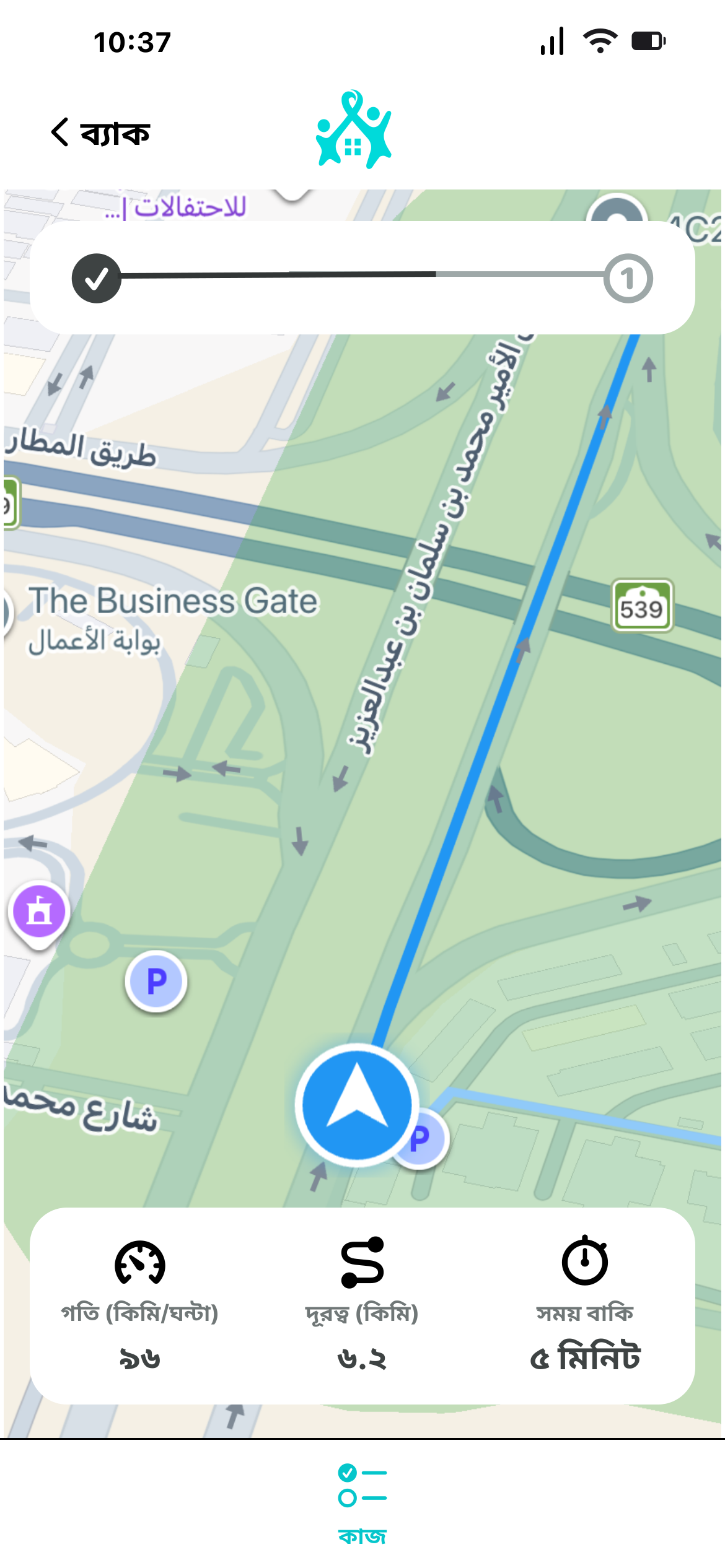
Driver navigation map after accepting the task
2Press Accept TaskThe driver is automatically taken to the navigation page.
For your maids

Maid Tasks

Create a task in two simple steps, then Mawa delivers it to the maid.
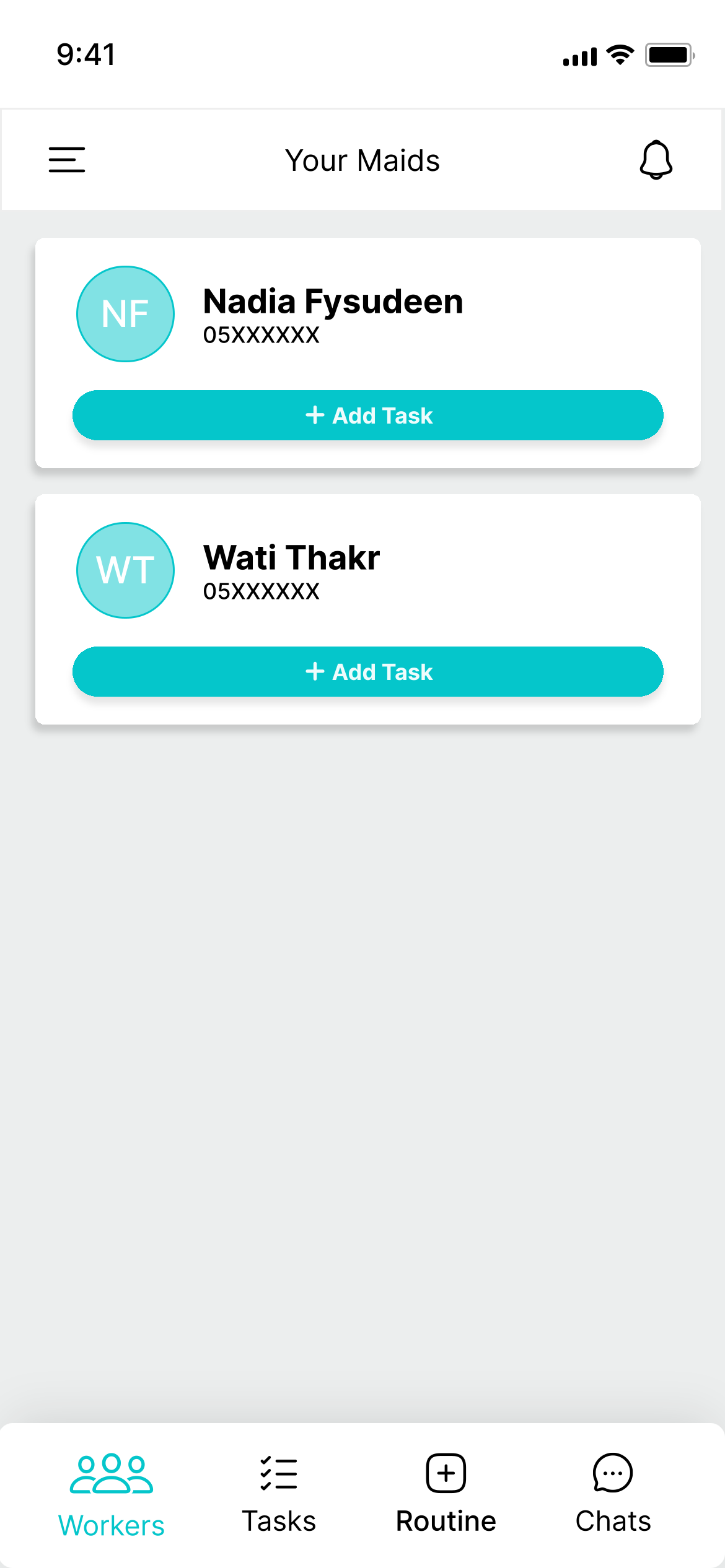
Homeowner's list of maids with Add Task buttons
1Select the maid
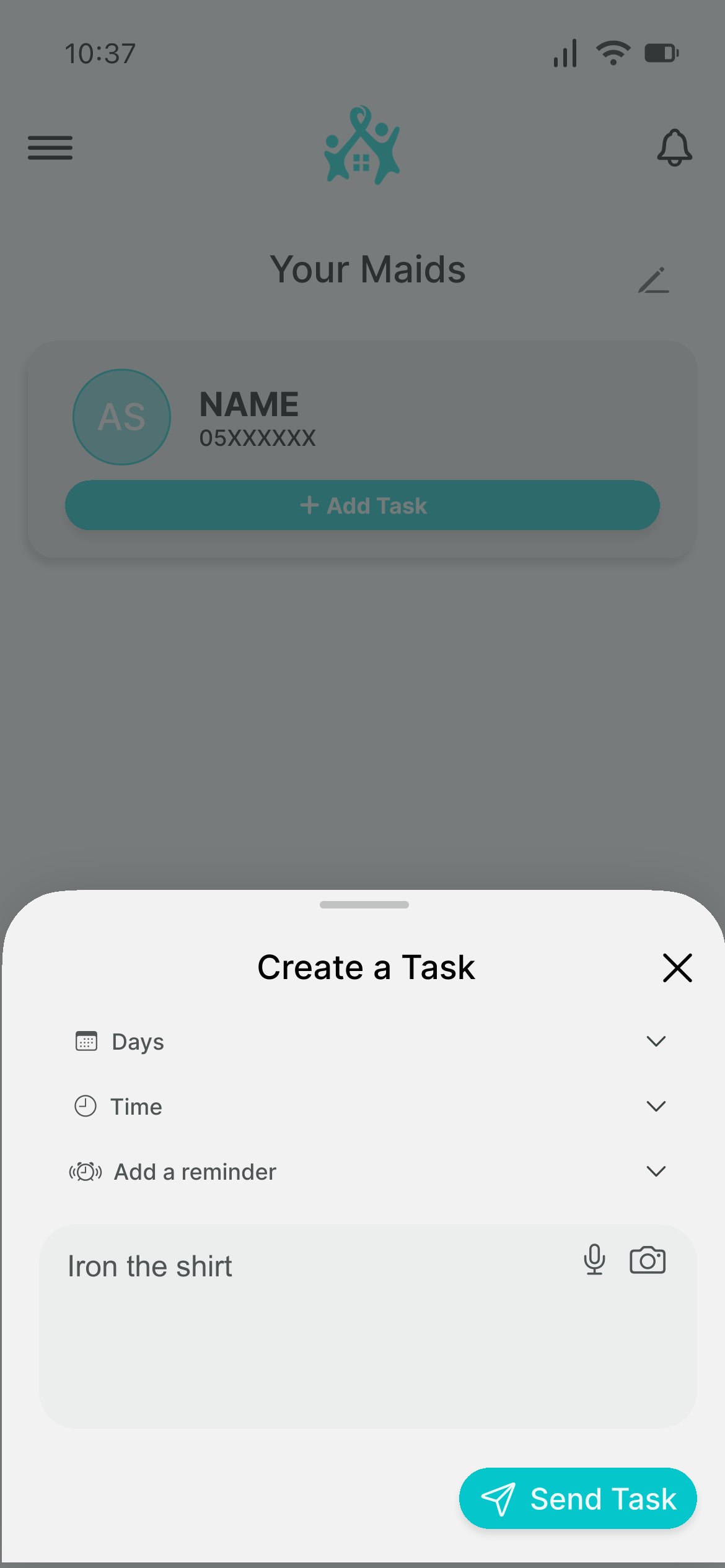
Create a maid task with days, time, reminder and the instruction Iron the shirt
2Create the taskChoose the details and send it to the maid.
Maid view

The maid's point of view

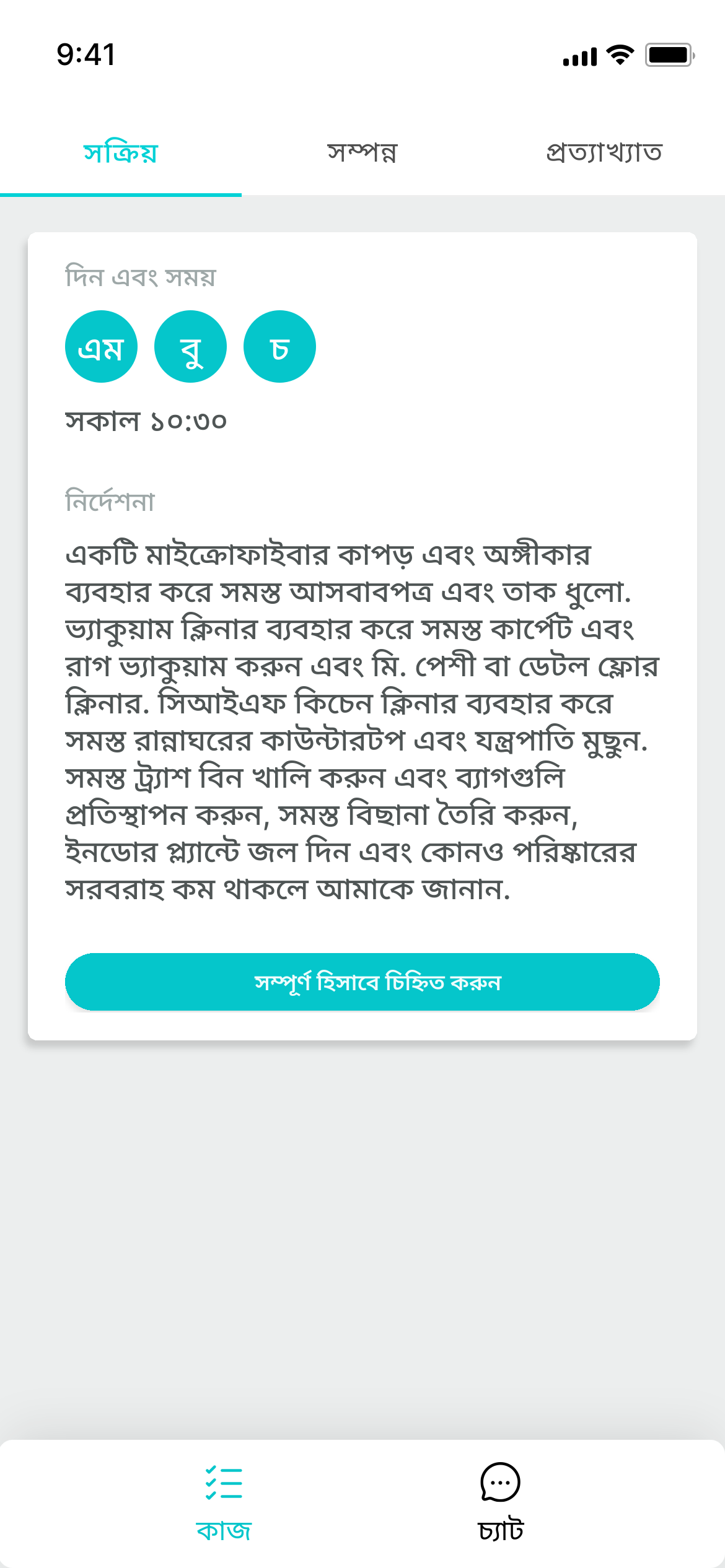
When the task arrives, the maid sees it in her preferred language.
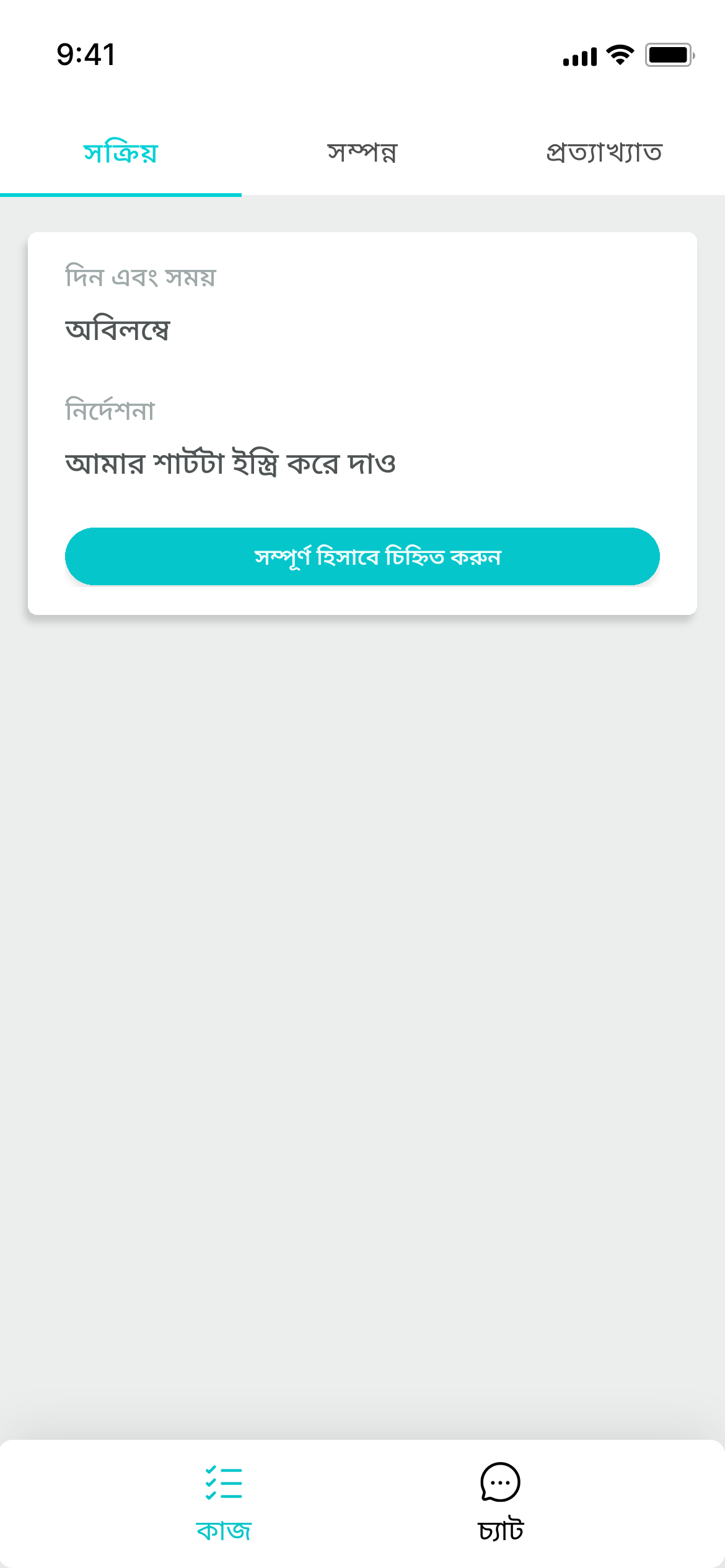
Maid receives a task translated into Bengali
Receive the taskThe maid reads the instructions in her own language.
Recurring work

Routine Tasks

See the same routine from the homeowner's and the maid's point of view.

Homeowner's point of view
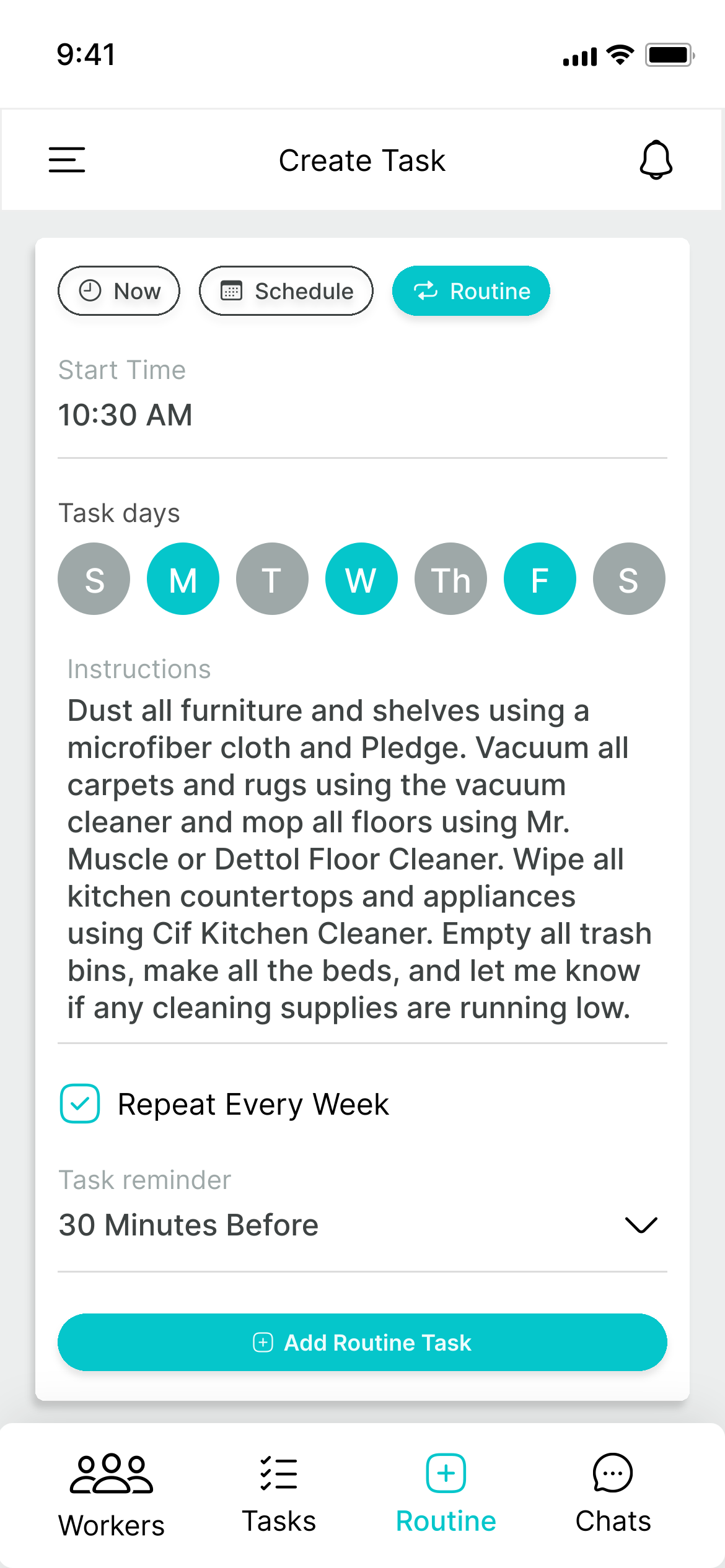
Homeowner creates a repeating weekly cleaning routine
Create a routineChoose the days, time and reminder once.

Maid's point of view

Maid views the full routine task and its instructions in Bengali
View the routine taskThe maid can review the full task and its instructions in her own language.
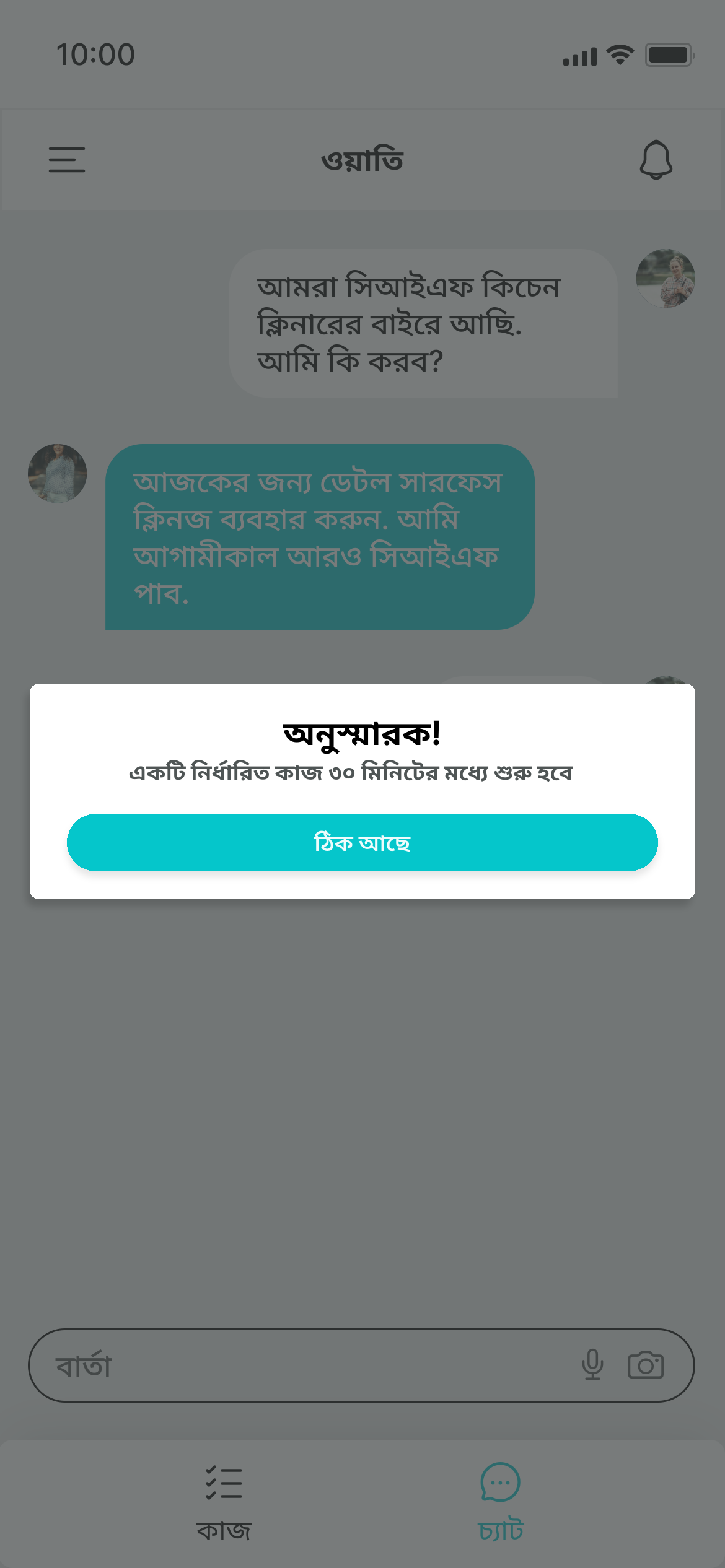
Maid receives a reminder at 10:00 that the routine task begins in 30 minutes
30-minute reminderThis reminds the maid that a task will begin in 30 minutes.
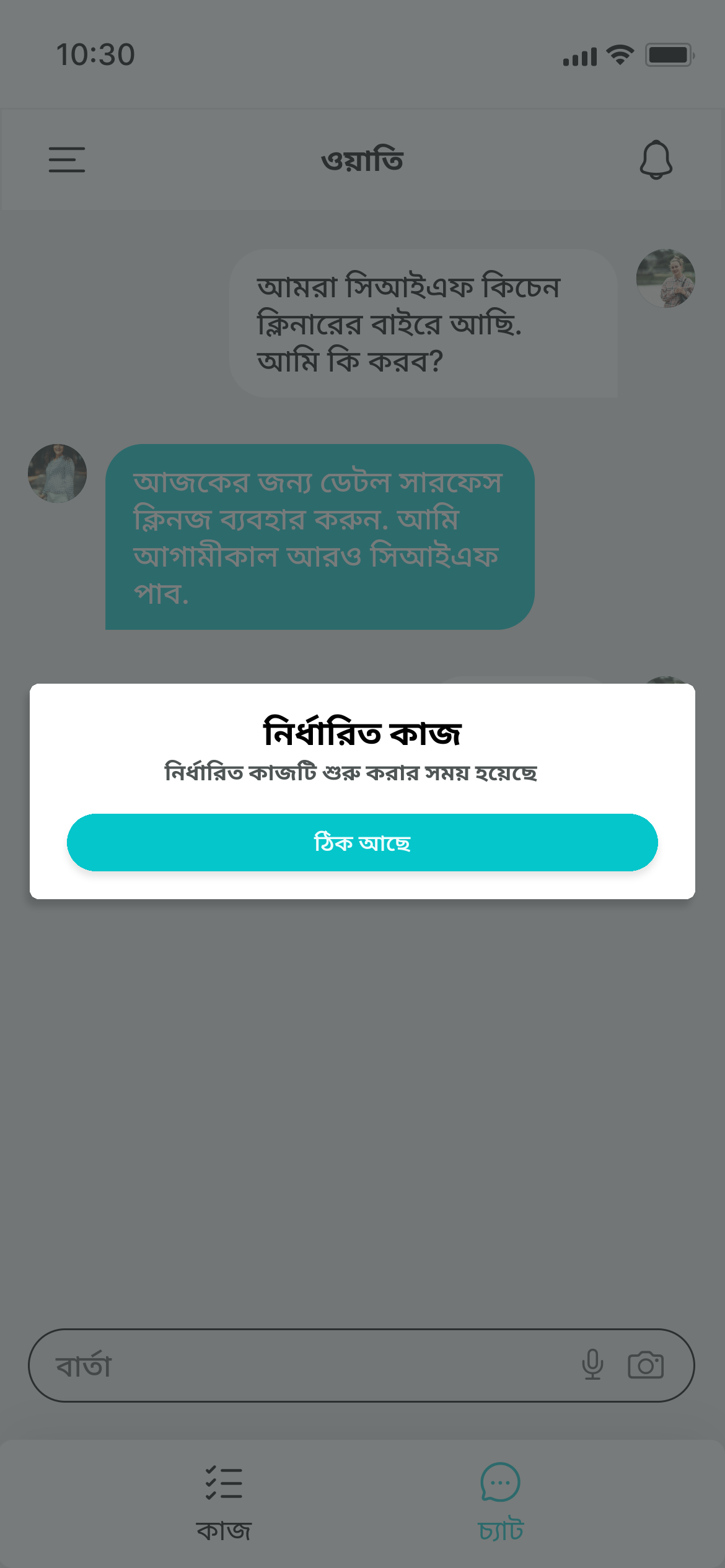
Maid receives a notification that it is time to start the routine task
Time to start the taskThis notifies the maid that it is time to start the task.
Chat

Chat with drivers and maids

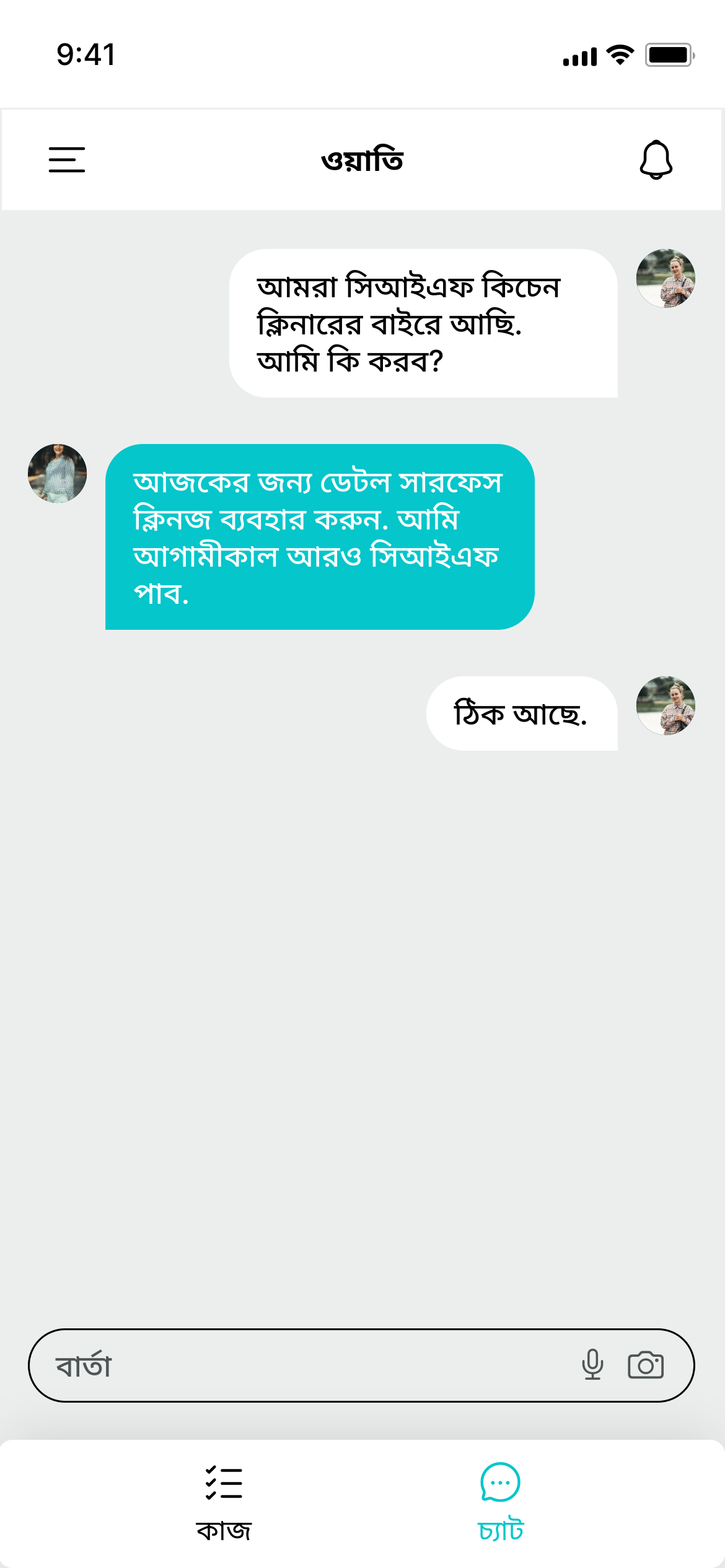
Keep every conversation with your drivers and maids readable, even when you use different languages.
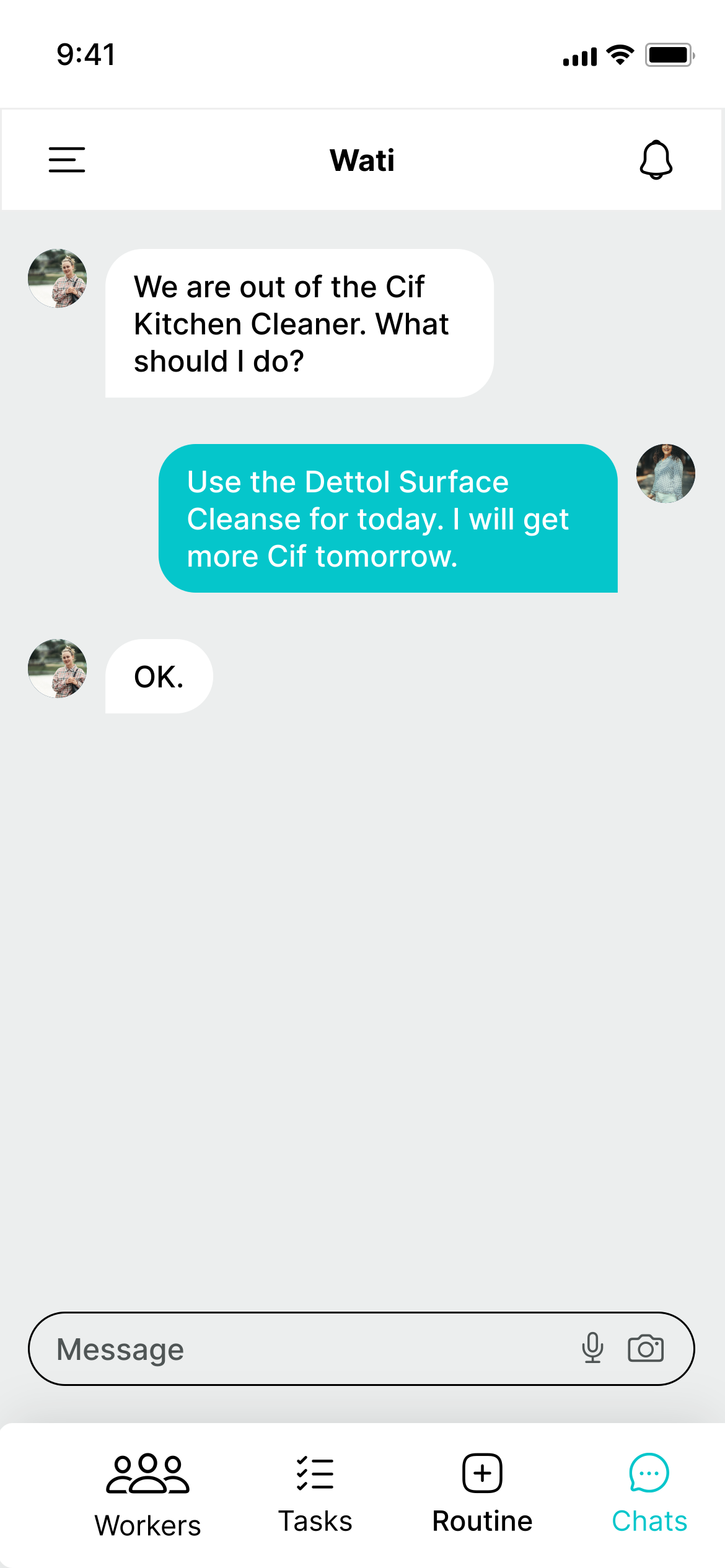
Household chat conversation shown in English
The same household chat conversation shown in Bengali
Two-way translation

The same chat, in English and Bengali

Whether you are coordinating a trip with a driver or discussing household work with a maid, each person can write in their own language while you read and reply in yours.

  • Automatic, two-way translation across the entire conversation.
  • Use text, voice notes or photos when that communicates the task more clearly.
Languages

Speak everyone's language

Mawa ships with 26 languages built in. Your staff picks theirs during setup — you keep yours. Every task and message bridges the two.

English العربية हिन्दी தமிழ் اردو বাংলা Filipino नेपाली አማርኛ සිංහල Kiswahili + 15 more languages

Bring your whole household onto one app

Mawa is launching soon on iOS and Android. Manage drivers and maids without the language guesswork.

Soon Download on theApp Store Soon Get it onGoogle Play